


The complete guide
Buying Guide
Mobile Phones For Seniors | Mobile Phone For Elderly | Big Button Mobile Phone
The Simple, Safe Mobile Phone For Seniors Your Loved One Will Actually Use
4G big button phone with one-touch SOS emergency calling, 9-day battery life, and a loud adjustable speaker, designed from the ground up for seniors who just want to make calls without the fuss.
FREE FAST SHIPPING ACROSS THE USA FOR ALL ORDERS $75+ OR MORE - (Save $25)
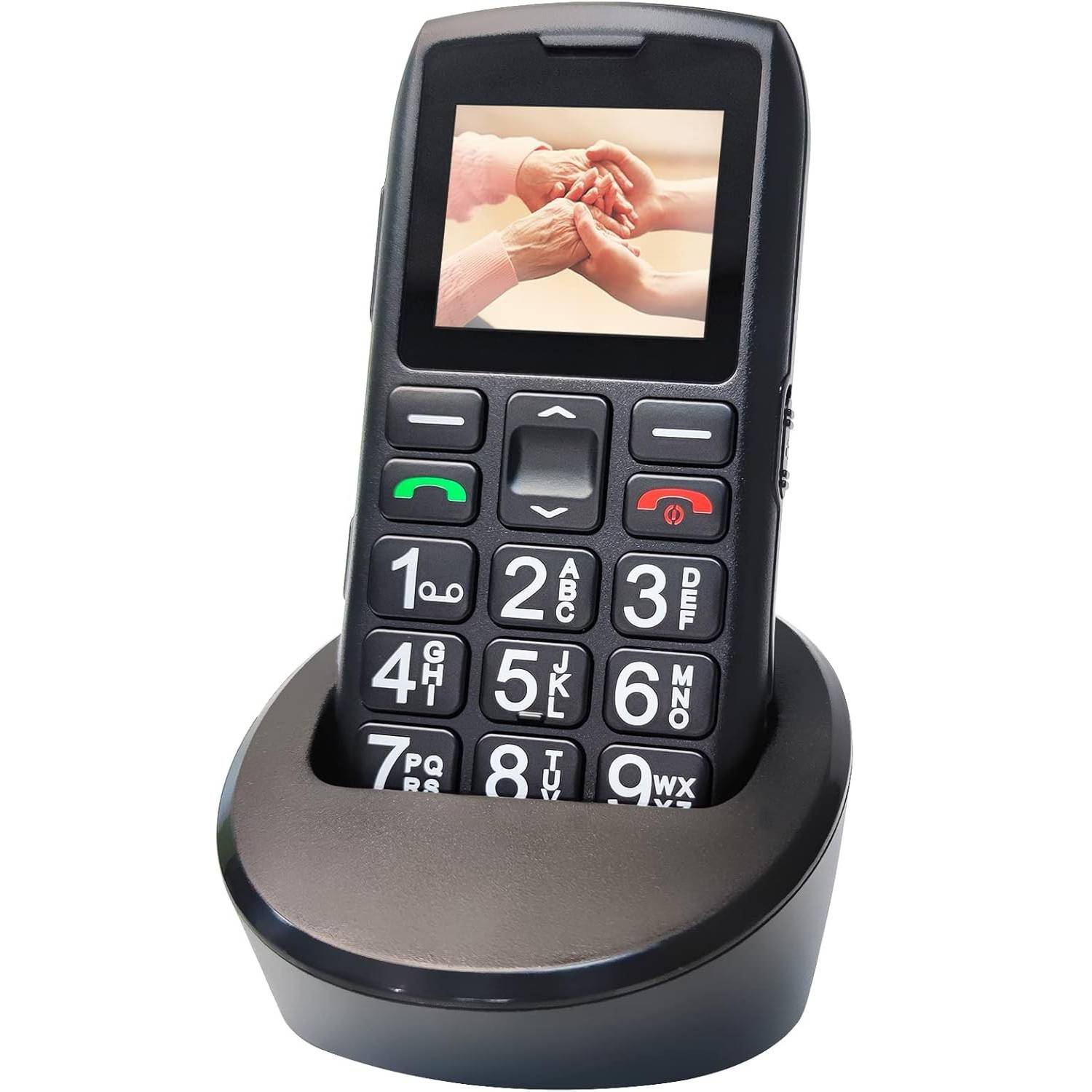
The C1+ is a straightforward keypad phone focused on calls and SMS, without the complexity of a smartphone.
Every detail has been considered with older users in mind, from the oversized backlit keys to the non slip grip and lanyard hole.
EVERYDAY EXTRAS
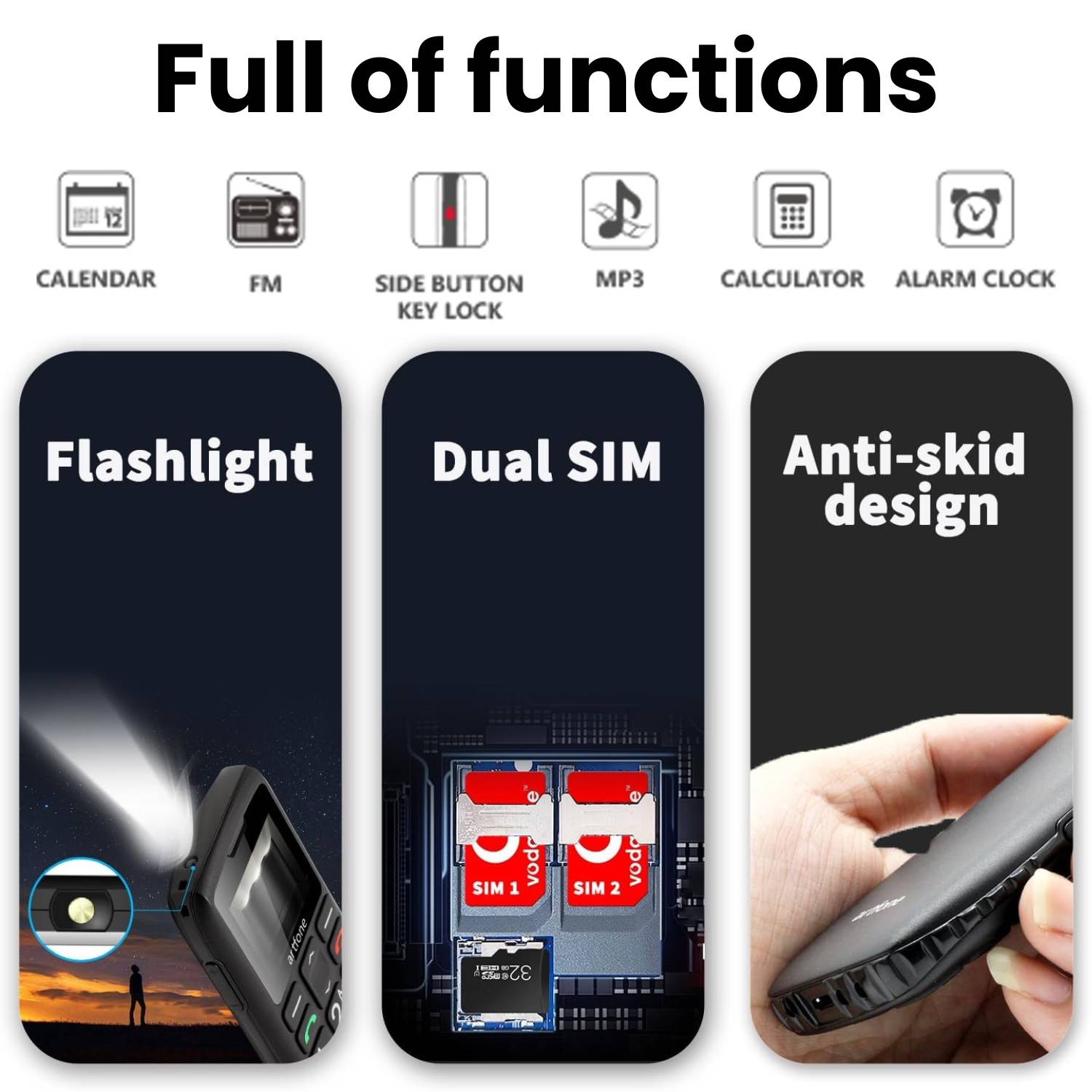
- Side-button flashlight , press and hold the left side button to light your path at night
- Hands-free calling , speakerphone mode for comfortable conversations
- FM radio , listen with the included 3.5mm headphone jack
- Bluetooth connectivity
- Calculator
- Audio & MP3 playback with USB storage mode
- Expandable storage , supports Micro SD cards up to 64 GB (not included) for music and audio files
- 3.5mm headphone jack
- Key lock/unlock to prevent pocket dialling
SPECIFICATIONS

TECHNICAL SPECIFICATIONS
Specifications- Display 1.77-inch colour screen
- Battery: 1,800mAh with overcharge protection
- Memory: 32MB + 48MB internal
- Storage: Up to 64GB via Micro SD (not included)
- SIM: Single Nano SIM (not included)
- Network: 4G / 3G / 2G
- Charging: USB-C cable + charging dock
- Dimensions: 112.1 × 59.3 × 13.9 mm
- Camera: None
- Language: English (default), additional languages in settings


Specifications
- Display 1.77-inch colour screen
- Battery: 1,800mAh with overcharge protection
- Memory: 32MB + 48MB internal
- Storage: Up to 64GB via Micro SD (not included)
- SIM: Single Nano SIM (not included)
- Network: 4G / 3G / 2G
- Charging: USB-C cable + charging dock
- Dimensions: 112.1 × 59.3 × 13.9 mm
- Camera: None
- Language: English (default), additional languages in settings
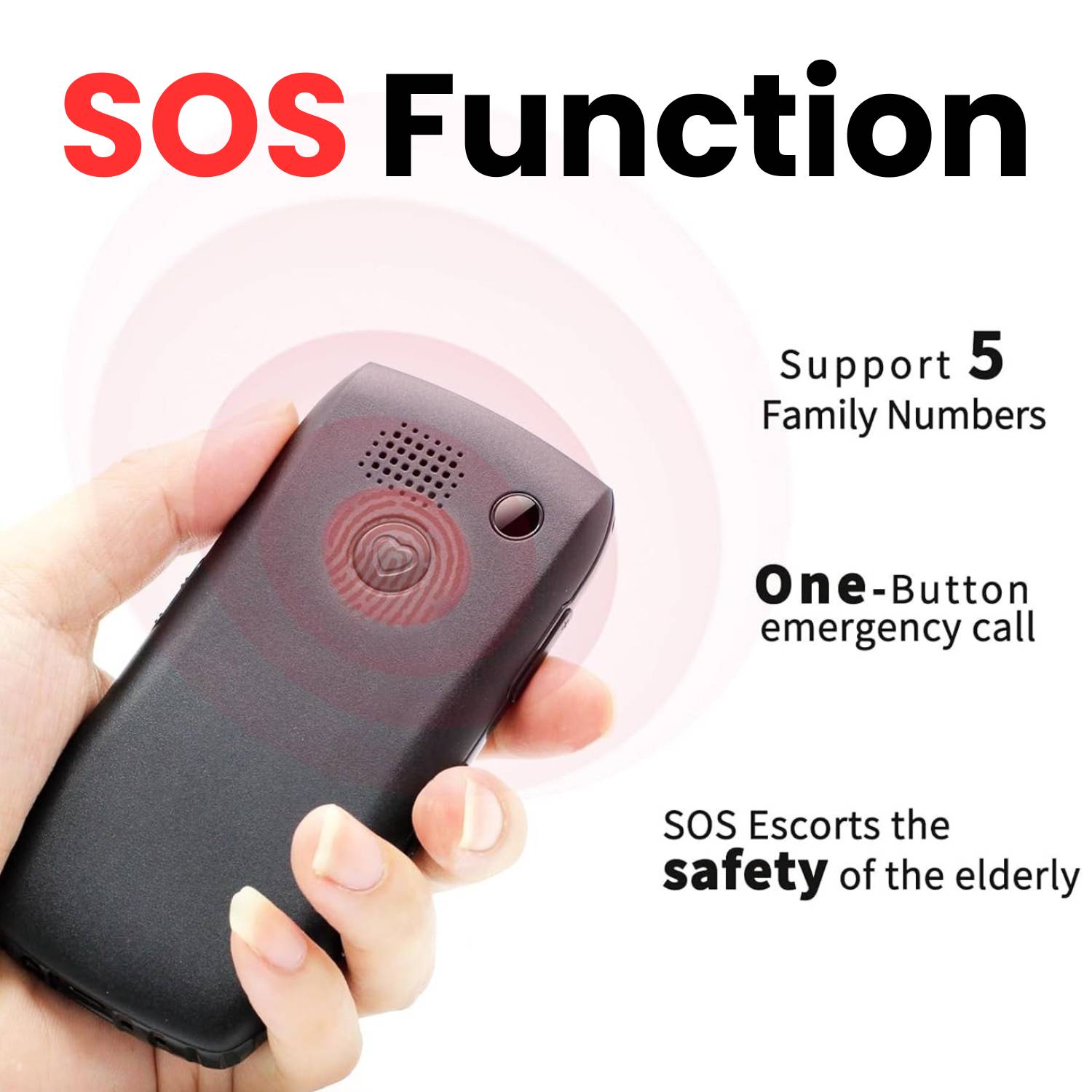
The dedicated SOS button on the back of the phone lets you store up to five emergency contact numbers. When pressed, the phone automatically cycles through each number until someone answers. An optional SMS alert can also be sent during the call. Pressed by mistake? Simply cancel within three seconds.
With an upgraded 1,800mAh battery , larger than comparable senior phones , the C1+ delivers 5-6 hours of talk time and up to 9 days on standby. Charge via the included dock or directly with the USB-C cable for fast, safe power.
A side-mounted flashlight button gives you instant light at the press of a finger. The phone also supports hands-free calling, FM radio, Bluetooth, a calculator, audio/MP3 playback, and USB storage mode. Expand storage with a Micro SD card up to 64 GB, and connect wired headphones via the 3.5mm jack. A voice announcement feature reads each number aloud as you dial, helping to prevent misdialled keys (this can be turned off in settings).
Good to Know
- Accepts a single Nano SIM (no contract required , choose any compatible carrier plan)
- Default language is English, with additional languages available in settings
- No camera
- If the phone doesn't power on after inserting the battery, simply charge it first
- If the SIM isn't recognised, double-check that it's inserted correctly


The Senior Phone: Why a Simple Big Button Mobile Phone Is Still the Best Choice for Older Adults
As smartphones grow more powerful and more complex every year, a quieter trend is moving in the opposite direction. Sales of mobile phones for seniors are climbing steadily , and not because older adults can’t learn new technology. It’s because many of them simply don’t want to. They want a phone that makes calls, sends the occasional text, and doesn’t require a YouTube tutorial to figure out.
If you’ve been searching for a reliable mobile phone for elderly parents or grandparents, you’ve probably noticed that the market is crowded with options that either try too hard to be smartphones or feel like cheap throwbacks from 2005. The C1+ 4G sits in a sweet spot between the two , a modern handset with 4G connectivity, a long-lasting battery, and genuine safety features, all wrapped in a design that’s refreshingly straightforward.
In this article, we’ll walk through what makes a good senior phone, why big button designs still matter, and how the C1+ stacks up as an everyday device for older users.
Why So Many Seniors Prefer a Simple Phone
There’s a common assumption that everyone wants the latest smartphone. But for a large number of older adults, a smartphone creates more problems than it solves.
Touchscreens can be difficult to use for anyone with reduced dexterity, tremors, or dry skin. App notifications are confusing and intrusive. Battery life on modern smartphones rarely lasts more than a day. And when something goes wrong , an accidental setting change, a pop-up that won’t close , there’s often no obvious way to fix it without help.
Mobile phones for elderly people address these frustrations by stripping the experience back to essentials. No apps to manage. No software updates that rearrange the interface overnight. No accidental video calls. Just a phone that works the way a phone should.
That’s exactly the philosophy behind the C1+ , and it’s why phones for elderly users with this kind of focused design continue to outsell entry-level smartphones in the senior market.
What to Look for in a Mobile Phone for Old People
Not all phones for old people are created equal. Some are so basic they don’t even support modern networks, which means they’ll stop working as carriers retire older infrastructure. Others have good specs on paper but poor execution , tiny speakers, dim screens, or batteries that barely last a day.
Here are the features that genuinely matter when choosing a mobile handset for elderly users:
Physical Keypad with Large, Backlit Buttons
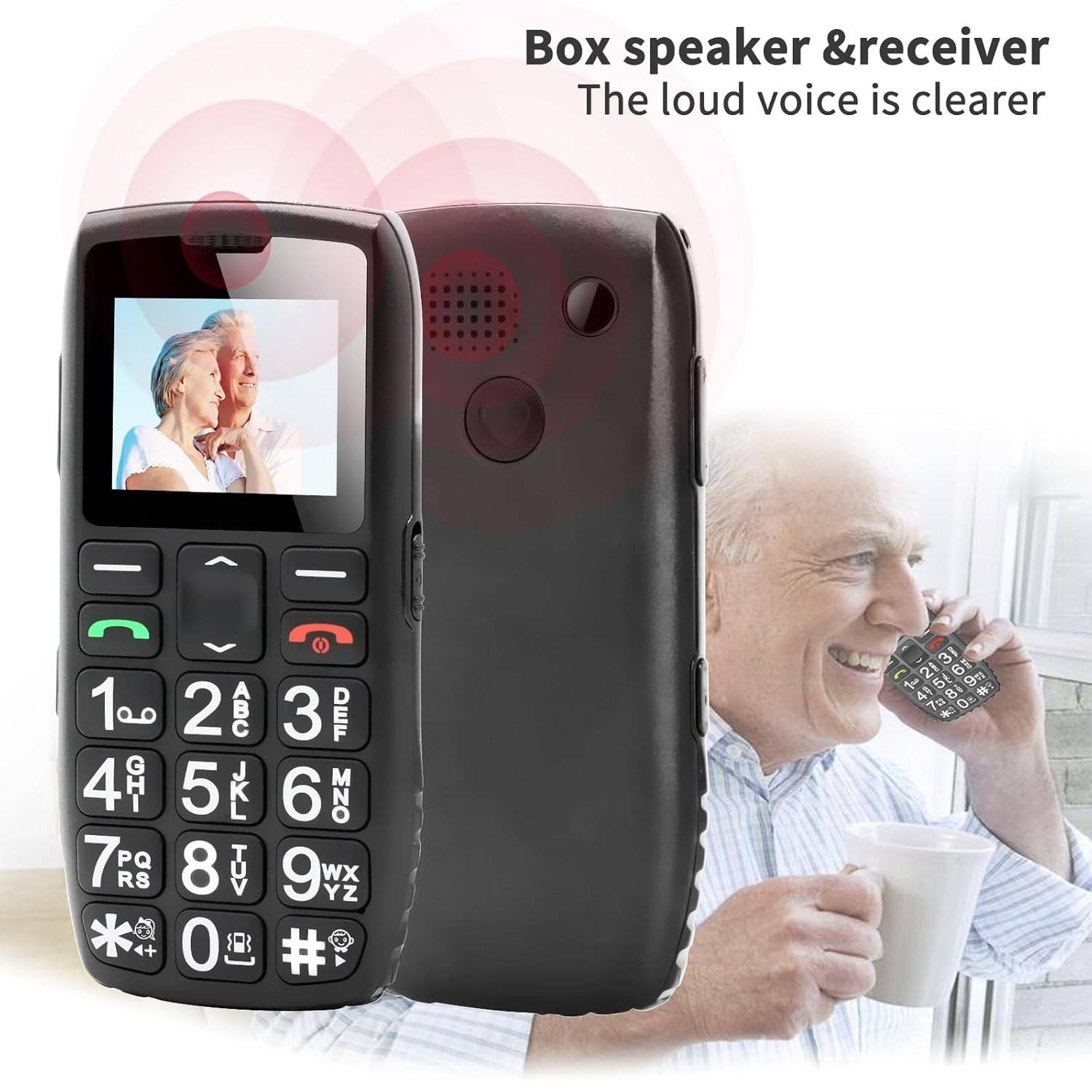
The C1+ uses oversized keys with clearly printed numbers that are easy to read without glasses in daylight. At night, the keypad lights up automatically, so there’s no squinting or guessing in low light. Combined with the voice announce feature , which reads each number aloud as it’s pressed , the phone makes dialling about as mistake-proof as it gets.
Loud, Clear Speaker
Hearing loss is one of the most common age-related conditions, and it directly affects how usable a phone is. A good phone for elderly mobile users needs a speaker that’s powerful enough to be heard clearly, even at arm’s length.
The C1+ speaker is adjustable and, at maximum volume, can be heard from another room. That’s a meaningful difference compared to many budget handsets where “loud” still isn’t loud enough. The phone also offers three sound modes , ringing, vibration, and silent , so it can be adapted to different environments without fiddling through menus.
Modern Network Support
This is where a lot of older mobile telephones for the elderly fall short. Many budget senior phones still only support 2G or 3G, and carriers around the world are actively shutting down those networks. A phone that only works on 2G might be useless within a year or two.
SOS Emergency Function
We’ll cover this feature in detail further down, because it’s one of the strongest selling points of the device.
Battery Life That Lasts Days, Not Hours
Older users are less likely to remember , or want , to charge their phone every night. A senior phone needs a battery that can comfortably last several days on standby without intervention.
The C1+ delivers on this front with an upgraded 1,800mAh battery that provides up to nine days of standby time and five to six hours of continuous talk time. That’s significantly more than most comparable elderly phone mobile handsets on the market.
A Closer Look at the C1+ 4G
Now that we’ve covered the general criteria, let’s look at how the C1+ performs across the features that matter most for older users.
Design and Build
The phone measures 112 × 59 × 14 mm , compact enough to slip into a pocket but chunky enough to hold securely. The back features a textured non-slip pattern that increases grip, which is a small but important detail for anyone whose hands aren’t as steady as they used to be.
A built-in lanyard hole allows users to attach a neck or wrist strap, making the phone easier to carry and much harder to lose. It’s the kind of thoughtful touch that separates a genuinely senior-focused device from a generic budget phone with bigger buttons glued on.
The 1.77-inch colour display is clear and uses large fonts with bold, simple menu icons. It won’t win any awards for screen technology, but that’s beside the point. It’s easy to read, and the menus are intuitive enough that most users can navigate them without a manual.
The SOS Button: Peace of Mind in One Press
For many families, the SOS feature alone justifies the purchase. Here’s how it works:
You can store up to five emergency contacts in the phone’s SOS settings. When the button on the back is pressed and held for two seconds, the phone first sounds a loud alarm , loud enough to alert anyone nearby. It then automatically cycles through each saved contact number, calling them one by one until someone answers. At the same time, it sends an SMS alert to all five numbers.
The user doesn’t need to navigate any menus, find a contact, or press the call button. They just hold one button, and the phone handles the rest. For someone who has fallen, feels unwell, or is in an unfamiliar situation, that simplicity could make a critical difference.
If the button is pressed accidentally, the call can be cancelled within three seconds , so there’s no risk of repeated false alarms. The SMS notification feature can also be turned off if preferred.
Setup is straightforward: Menu → SOS Settings → SOS Number → Enter Phone Number → Save. It can be configured in under a minute, ideally by a family member during initial setup.
Battery and Charging
The 1,800mAh battery is one of the largest you’ll find in this category of large button mobile phone. In practical terms, that means a user who makes a few calls a day and sends the occasional text can comfortably go a full week without charging.
The phone includes built-in overcharge protection, which automatically stops drawing power once the battery is full. This is a welcome safety feature , many older users leave their phones charging overnight or for extended periods, and overcharge protection removes any worry about battery damage or overheating.
Two charging options are included in the box: a USB-C cable for direct charging and a charging dock. The dock is particularly useful for seniors who find plugging in small cables fiddly , they simply place the phone on the base and it charges. No fumbling, no forced alignment.
Speed Dial
The C1+ supports speed dialling from keys 2 through 9, plus the * and # keys , giving users up to ten one-touch contacts. A long press on any assigned key immediately dials that person.
This is a feature that sounds minor but makes a huge difference in daily use. Instead of scrolling through a contact list, an older user can simply press and hold “2” to call their daughter, or “3” to call their doctor. It reduces the phone to its most essential function , connecting people , with as little friction as possible.
Voice Announce Dialling
Every time a number key is pressed, the phone speaks the digit aloud. This gives users immediate audio confirmation that they’ve pressed the right key, which is especially helpful for anyone with impaired vision.
The feature can be turned off in the settings menu for users who don’t need it or find it intrusive, but for those who benefit from it, it’s a genuinely useful accessibility tool that’s rarely found in big button cell phone models at this price point.
Flashlight
A side-mounted button on the left of the phone controls a built-in flashlight. Press and hold to switch it on or off , no menus, no unlocking the phone. For older users navigating dark hallways, checking a lock at night, or simply finding something that’s rolled under a table, it’s one of those features that gets used far more often than you’d expect.
Additional Features
Beyond the core calling and safety functions, the C1+ includes a handful of extras that add everyday value without adding complexity.
The phone supports hands-free speakerphone calls, FM radio, Bluetooth connectivity, a basic calculator, and audio playback including MP3 files. Storage can be expanded with a Micro SD card up to 64 GB , useful for loading music or radio recordings that can be played through the 3.5mm headphone jack.
A key lock function prevents pocket dialling, and the single Nano SIM slot keeps things simple , one number, one phone, no confusion.
Who Is the C1+ For?
The obvious answer is older adults who want a no-fuss phone, but it’s worth being more specific.
Seniors who live independently. The SOS function, loud speaker, and long battery life make this a practical safety tool as much as a communication device. It gives both the user and their family an added layer of reassurance.
Older adults who’ve tried and disliked smartphones. Many seniors have been given smartphones by well-meaning relatives, only to find them frustrating and overwhelming. The C1+ is a welcome step back to simplicity , a phone that does what they actually need without everything they don’t.
Caregivers and family members buying on behalf of someone else. If you’re setting up a phone for a parent or grandparent, the C1+ is easy to configure. Speed dial contacts, SOS numbers, and basic settings can all be arranged in a few minutes before handing it over.
Anyone who needs a reliable backup phone. While marketed as a seniorphone, the C1+ also works well as a secondary device , for travel, emergencies, or situations where you want a phone with a week-long battery and no distractions.
What the C1+ Doesn’t Have
Transparency matters, so let’s be clear about what’s not included.
There is no camera. For many senior users, that’s not a loss , but it’s worth knowing upfront. There’s no app store, no internet browser, and no touchscreen. The phone runs its own simple operating system, not Android or iOS.
The internal memory is modest at 32MB + 48MB, but since the phone isn’t designed for apps or media-heavy use, this is rarely a limitation. Expandable storage via Micro SD handles any music or audio file needs.
The default language is English, though other languages can be selected in the settings menu.
Setting Up the C1+ for an Older User
If you’re gifting this phone to someone else, a few minutes of setup will make all the difference.
First, insert the Nano SIM card. The phone accepts a single Nano SIM , no contract is required, so you can choose any compatible prepaid or postpaid plan. If the phone doesn’t power on immediately after inserting the battery, don’t be concerned. Simply place it on the charging dock or plug in the USB-C cable and let it charge before first use.
Next, set up the SOS contacts. Navigate to Menu → SOS Settings → SOS Number, enter up to five phone numbers, and save. Test the function once so the user knows what to expect , the loud alarm and automatic dialling sequence.
Assign speed dial contacts to keys 2 through 9. Label them clearly on a small reference card if needed , “2 = Sarah, 3 = Dr. Patel, 4 = Neighbour Jim” , and tuck it into the phone’s box or case.
Adjust the volume to a comfortable level, confirm the ringer mode is set to the user’s preference, and check that voice announce dialling is turned on if the user would benefit from it.
The entire setup process takes under ten minutes and ensures the phone is ready to use the moment it’s handed over.
Common Questions About Buying a Phone for Seniors
When families start shopping for phones for elderly people, a few of the same questions tend to come up. Here are the most common ones , and honest answers.
“Won’t they feel embarrassed using a ‘senior phone’?”
This is a fair concern, and it depends entirely on the person. Some older adults are self-conscious about using a device that looks different from what everyone else carries. Others couldn’t care less , they just want something that works.
If the person you’re buying for is sensitive about appearances, it’s worth letting them see the phone before you buy. But in our experience, most seniors care far more about whether they can read the screen and hear the caller than about how the phone looks to strangers.
“Is 4G really necessary?”
Yes , and increasingly so. Carriers in the United States and around the world are progressively shutting down 2G and 3G networks to free up spectrum for 4G and 5G. A mobile phone for old people that only supports 2G or 3G may work fine today but could become a paperweight within a year or two.
The C1+ supports 4G with 3G and 2G fallback, so it’s compatible with current and legacy networks. This is one area where it’s worth spending slightly more upfront to avoid having to replace the phone sooner than expected.
“What if they lose the phone?”
This is where the lanyard hole earns its keep. A simple neck strap or wrist lanyard makes the phone significantly harder to misplace. Beyond that, the phone’s loud ringer means it can usually be found by calling it , assuming the volume is set high enough, which it almost certainly will be.
There’s no GPS tracking built into the C1+, so if location monitoring is a priority, a smartphone with a tracking app may be a better fit. But for most users, a lanyard and a loud ringer solve the problem well enough.
“Can they still listen to music or the radio?”
Absolutely. The C1+ supports FM radio and MP3 audio playback, with a 3.5mm headphone jack and expandable storage up to 64 GB via Micro SD card. For seniors who enjoy listening to talk radio, music, or audiobooks, this is a genuinely useful feature , and one that many people don’t expect from a basic handset.
How the C1+ Compares to a Smartphone
It’s worth addressing this directly, because the question always comes up: why not just buy a cheap smartphone and set it to “easy mode”?
Some smartphones do offer simplified launcher modes with large icons and basic menus. And for some seniors, that’s a perfectly good solution , especially if they also want to use WhatsApp, video calling, or a camera.
But simplified modes on smartphones come with caveats. Notifications still pop up. Software still updates. The battery still drains in a day. And the moment something goes wrong , a setting gets changed, an app freezes, the simplified launcher crashes , the user is suddenly staring at a standard Android interface they don’t understand.
A purpose-built large button mobile phone like the C1+ avoids all of these issues because there’s nothing to go wrong in the first place. There are no apps to crash, no updates to install, no accounts to manage. The interface is the same today as it will be in two years. For users who genuinely just need calls and texts, this predictability is the phone’s greatest feature.
That said, if the person you’re buying for wants video calls with grandchildren or access to WhatsApp, a simplified smartphone is the better choice. The C1+ is specifically for users who don’t want or need those capabilities.
A Note on Gifting a Phone to an Older Relative
If you’re reading this article, there’s a good chance you’re buying on behalf of someone else. A few practical tips can make the transition smoother.
Set it up before you hand it over. Insert the SIM, charge the phone, configure SOS contacts, assign speed dial numbers, and adjust the volume. The less the recipient has to do on day one, the more likely they are to actually use the phone.
Write a simple one-page reference card. Not a manual , just the basics. “To call Sarah, hold down 2. To turn on the flashlight, hold the left side button. To call for help, hold the red button on the back.” Laminate it if you can, and keep it with the phone.
Don’t overwhelm them with features. The C1+ has FM radio, Bluetooth, MP3 playback, and more , but you don’t need to explain all of that on day one. Start with calls, speed dial, and the SOS button. Introduce extras later if and when the user is comfortable.
Check in after a week. A quick visit or call to see how they’re going can catch small issues , volume too low, SOS not set up correctly, charger in the wrong spot , before they become reasons to stop using the phone altogether.
Final Thoughts
The market for mobile phones for seniors isn’t about nostalgia or resistance to progress. It’s about recognising that different people have different needs , and that for millions of older adults, the best phone isn’t the most powerful one. It’s the one they’ll actually use.
The C1+ 4G is a well-thought-out big button mobile phone that gets the fundamentals right: a clear screen, loud sound, physical keys, a long battery, and a genuine emergency safety feature. It doesn’t try to be a smartphone. It tries to be the best simple phone it can be , and it succeeds.
If you’ve been looking for a dependable phone for elderly parents, grandparents, or anyone who values simplicity and safety over apps and screens, the C1+ is well worth considering.